
Download NoteVocal – AI Transcription Tool for Accurate Voice‑to‑Text
Overview – What Is NoteVocal?
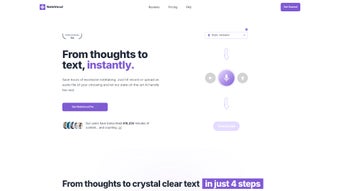
NoteVocal is a cloud‑based, AI‑driven transcription platform designed to turn spoken words into clean, editable text in seconds. Built for professionals, students, and casual users alike, the service lets you either record directly inside the web app or upload pre‑recorded audio files up to 25 MB. Once the audio is processed, NoteVocal delivers a highly accurate transcript that can be tweaked in an integrated rich‑text editor, exported as PDF, Word, or plain text, and even shared through popular channels such as email and WhatsApp.
What truly sets NoteVocal apart is its multilingual capability – more than 50 languages and dialects are supported, making it a practical solution for global teams, multilingual journalists, and anyone who needs reliable voice‑to‑text conversion without the hassle of manual typing.
The platform is especially handy for creating meeting minutes, drafting blog posts, journaling ideas, or generating content outlines. While it requires an internet connection, the convenience of a browser‑only interface eliminates the need for complex installations, and the platform continuously benefits from AI model updates that improve accuracy over time.
Security is baked into the service: all uploads are encrypted in transit and at rest, and the system complies with GDPR and CCPA regulations, giving users confidence that sensitive audio remains private.
Pricing is tiered – a free tier offers a modest number of transcription minutes each month, while paid plans unlock unlimited usage, priority processing, and advanced formatting options. Because the application lives entirely in the cloud, it scales effortlessly from a single‑person workflow to enterprise‑wide deployments, allowing teams to collaborate on the same transcript in real time.
In short, NoteVocal delivers a seamless, secure, and flexible transcription experience that can adapt to a wide range of workflows while staying up‑to‑date with the latest AI advancements.
Key Features – Why NoteVocal Stands Out
NoteVocal’s feature set is engineered to address the most common pain points of transcription work. The AI engine has been trained on millions of hours of audio from diverse domains, giving it the ability to recognize industry‑specific terminology, regional accents, and background noise patterns that often trip up generic speech‑to‑text tools. The result is a transcript that requires far less post‑processing, saving users valuable time and reducing the likelihood of costly errors in legal, medical, or academic documents.
- AI‑Powered Accuracy: Deep learning models trained on diverse datasets provide transcription precision that rivals premium desktop software.
- Multi‑Language Support: Over 50 languages, including regional dialects, enable global collaboration without language barriers.
- Flexible Input Options: Record directly in the browser, drag‑and‑drop files, or upload audio/video up to 25 MB in size.
- Customizable Transcription Styles: Choose from preset formats such as meeting minutes, blog drafts, interview scripts, or free‑form notes.
- Built‑In Text Editor: Inline editing tools, formatting shortcuts, and auto‑save keep your transcript organized and ready for export.
- One‑Click Export & Sharing: Export to PDF, Microsoft Word, or plain text, and share instantly via email, WhatsApp, or a shareable link.
- Secure Cloud Processing: End‑to‑end encryption protects uploaded audio and generated transcripts from unauthorized access.
- Continuous Model Updates: Automatic AI improvements ensure that transcription quality gets better with each use.
- Collaboration Friendly: Multiple users can access the same project, add comments, and edit transcripts in real time.
- Responsive Design: Works smoothly on desktops, laptops, tablets, and smartphones without any additional software.
Beyond the core list, NoteVocal integrates with popular productivity suites via simple copy‑and‑paste or direct API hooks, allowing developers to embed transcription capabilities into custom workflows. The platform also supports webhooks that trigger notifications in Slack or Microsoft Teams whenever a transcript is ready, keeping teams in the loop without manual checks. For users who need to maintain a record of changes, the editor logs every edit with timestamps and author attribution, creating a transparent audit trail that is especially useful for compliance‑heavy industries. All these capabilities combine to make NoteVocal not just a transcription engine, but a full‑featured collaboration hub for any organization that relies on spoken content.
Installation & Usage – Getting Started with NoteVocal
Step‑by‑Step Installation
Because NoteVocal is a web application, there is no traditional installation process. To begin, open any modern browser (Chrome, Edge, Firefox, Safari) and navigate to the official website. Click the “Sign Up” button to create a free account using an email address or a single‑sign‑on option such as Google or Microsoft. After confirming your email, you are taken directly to the dashboard where the transcription workflow begins. The onboarding wizard walks new users through setting their preferred language, default transcription style, and notification preferences, ensuring a personalized experience from the first use.
How to Transcribe Audio
1. Choose Input Method: Click “Record” to capture audio on the spot, or select “Upload” to drag a file from your computer. Supported formats include MP3, WAV, AAC, and common video containers such as MP4 and MOV.
2.
Select Language & Style: From the dropdown, pick the language of the recording and the desired output style (e.g., “Meeting Minutes”).
3. Start Transcription: Press “Transcribe” and let the AI process the file. Most files under 5 minutes are completed in less than a minute, while longer recordings are queued and processed in parallel on the cloud infrastructure.
4.
Edit & Refine: Once the text appears in the built‑in editor, you can correct errors, add headings, or highlight key points using the toolbar. The editor also offers speech‑recognition‑driven voice commands for hands‑free editing.
5. Export or Share: Click “Export” to download a PDF or Word document, or hit “Share” to send a secure link via email, WhatsApp, or a custom webhook.
6.
Manage Projects: All transcripts are stored in a project‑based library where you can organize files by client, date, or tag, and restore previous versions if needed.
Compatibility (itemprop="operatingSystem")
NoteVocal is platform‑agnostic because it runs entirely in the browser. It supports all major operating systems, including Windows 10/11, macOS Monterey and later, Linux distributions with a modern browser, as well as mobile platforms such as Android 9+ and iOS 13+. The responsive UI adapts to screen size, ensuring a consistent experience whether you are on a desktop workstation or a handheld device. Because the service relies on WebAssembly‑based AI inference, performance is comparable across devices, though a stable broadband connection is recommended for the fastest turnaround.
Advanced Settings & Troubleshooting
Power users can access an “Advanced Settings” panel where they can adjust speaker diarization thresholds, enable custom vocabulary lists (useful for technical jargon), and select the AI model tier that balances speed versus accuracy. If a transcription fails or produces unusually low quality, the “Help” center offers diagnostic tools that check file integrity, network latency, and audio bitrate. Users can also submit a support ticket directly from the dashboard; the support team typically responds within a few hours, providing detailed guidance or a manual correction if the AI struggles with heavily accented speech.
Conclusion – Should You Download NoteVocal?
If you need a fast, reliable, and multilingual transcription solution without the burden of installing heavyweight software, NoteVocal is a compelling choice. Its AI‑driven accuracy, integrated editor, and seamless sharing options make it ideal for professionals handling meetings, journalists crafting interview pieces, and creators producing blog content. While the lack of offline capability and the 25 MB upload ceiling might be limiting for some power users, the benefits of a cloud‑first, continuously improving platform often outweigh these constraints. For anyone seeking a secure, cross‑platform transcription tool that scales from casual note‑taking to enterprise‑level workflows, downloading NoteVocal today is a smart move.
Pros & Cons – A Balanced Look at NoteVocal
Pros
- High transcription accuracy thanks to state‑of‑the‑art AI.
- Supports more than 50 languages, covering a broad global audience.
- No software download required; works directly from any browser.
- Integrated editor eliminates the need for external word processors.
- Secure, encrypted cloud handling protects sensitive audio.
- Real‑time collaboration features enhance team productivity.
- One‑click export to popular formats simplifies downstream workflows.
- Regular AI updates keep the service competitive and reliable.
- Custom vocabulary and speaker diarization options for advanced users.
- Responsive design works on desktops, tablets, and smartphones.
Cons
- Requires an active internet connection; no offline mode.
- File size limit of 25 MB may restrict very long recordings.
- Free tier includes usage caps and limited advanced formatting options.
- Audio quality heavily influences accuracy; noisy recordings may need manual correction.
- Pricing for premium plans can be higher than some desktop alternatives for heavy users.
- Lack of on‑premise deployment may be a concern for highly regulated industries.
FAQ – Frequently Asked Questions About NoteVocal
Is NoteVocal completely free to use?
NoteVocal offers a free tier that includes a limited number of transcription minutes per month and basic export options. For unlimited usage, higher‑quality language models, and premium export formats, a paid subscription is required.
How secure is my audio and transcript data?
All uploads and generated transcripts are encrypted in transit (TLS) and at rest. NoteVocal adheres to GDPR and CCPA guidelines, ensuring that personal data is not shared with third parties without consent.
Can I transcribe a video file?
Yes. The platform extracts the audio track from common video formats (MP4, MOV, AVI) and processes it just like a standard audio file. The resulting transcript will contain only spoken content.
What languages are supported?
NoteVocal supports more than 50 languages, ranging from English, Spanish, Mandarin, and Hindi to less common tongues such as Swahili, Finnish, and Tagalog. A full list is available on the language selection dropdown.
Is there an offline version for private environments?
Currently, NoteVocal is a cloud‑only service. Organizations requiring offline transcription must consider on‑premise solutions or alternative desktop software.
Review Summary
Pros: Accuracy, multilingual support, browser‑only access, secure cloud processing, real‑time collaboration, extensive export options.
Cons: No offline mode, file‑size limit, premium pricing for heavy users, reliance on internet connectivity.



.png)



